In this guide
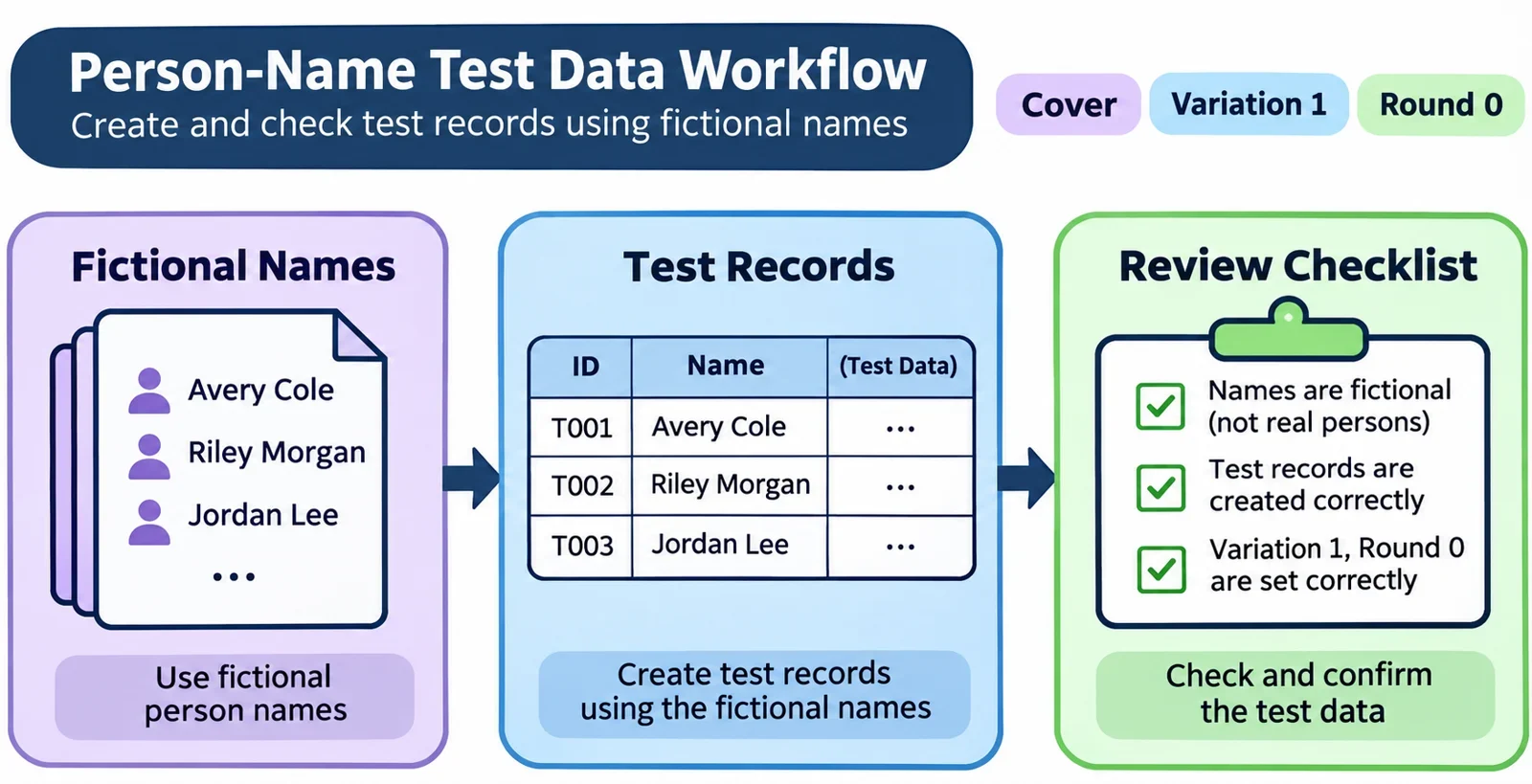
Start with the behavior you want to test, then choose fictional names that exercise it. A useful dataset combines ordinary examples with deliberate variations, such as single names, punctuation, multiple name components, and empty fields. Put those values into complete records, preserve any relationships your test requires, and check the records for customer information before using them.
A name generator can help you create a starter set, but check its available options before relying on it for a particular format. You may need to add important cases by hand. Save the values and relevant generation details so that a failed test can be repeated, and remember that a generated name can happen to match a real person’s name.
Define the test before generating names
Write down what the application is supposed to do with a name before choosing examples. A registration form, a search function, and an exported report may each need different checks. For a form, you might test whether a value is accepted and shown back to the user. For search, you might check whether the intended record is returned. For an export, you might compare the displayed name with the exported value.
List the fields involved and the rules your application is expected to apply. Does it collect one full-name field, separate fields, or both? Which fields are required? Is there a documented length limit? Decide what the expected result should be for each case before running the test. If a rule is unclear, ask the person responsible for the requirement rather than treating the current behavior as the rule.
Separate ordinary examples from cases that deliberately challenge a rule. An empty required field, for instance, may be an invalid-input test; an empty optional field may be a valid case. Record the expected result for each one. Also identify whether the test needs one person, several people with the same name, or linked records belonging to the same person. That decision will shape the rest of the dataset.
Generate a starter set of names
Choose a person-name tool and inspect its actual inputs and output before building the dataset. Look for a format that fits the fields you need to populate. If the tool offers a surname override, decide whether a shared surname would help your test; check how that option works before using it. Do not assume that a particular option, language, output format, or privacy setting is available.
Generate a small batch and inspect the results. Ask whether each value can be placed into the intended field without making assumptions about how the application divides a name. If the tool produces a single name string but your test requires separate fields, review each example and enter appropriate values explicitly. Keep the original generated value when it is relevant to the test, rather than silently changing it to fit.
Save the values used in the test along with the tool, relevant settings, date, and any generation details the tool makes available. If you edit a value, record the edit and its purpose. The saved values themselves are useful even when the tool cannot reproduce the same batch. Before entering any sensitive information into a tool, check its stated handling of inputs and outputs and follow your team’s data rules.
Add name formats and edge cases
A starter batch may not cover the cases your application needs. Add examples by hand and label each one according to the behavior it is meant to exercise. The table below is a planning aid: the expected result depends on your application’s requirements.
| Case | Question to test |
|---|---|
| Single name | Can the required fields represent the value as intended? |
| Multiple components | Is the complete value preserved through entry, display, and export? |
| Punctuation or accented characters | Does the value remain as entered where the requirements say it should? |
| Non-Latin script | Can the intended workflow accept and display the chosen example? |
| Long value | What happens at the documented limit and just beyond it? |
| Empty field | Is it accepted or rejected according to the field’s rule? |
| Duplicate name | Can the workflow distinguish the intended records? |
For a length boundary, use the application’s documented measurement and limit, if available. Prepare one value at the boundary and another beyond it, then record the expected result for each. If the rule is unclear, resolve it before calling a result a defect.
Do not assume that an unusual-looking name is invalid. A test can use a deliberately invalid value, but its label should explain which stated rule it breaks. Likewise, a duplicate name is useful for testing how the application identifies records; it should not automatically be treated as a duplicate person. Make your examples specific enough that another tester can see what each one is meant to prove.
Build useful test records
Place each name into the fields the application expects, then add only the other values needed for the scenario. A name by itself can test a field, but a workflow may need a person record connected to another record. Give each fictional record a test identifier and use it consistently in the links your scenario requires. Two people with the same display name should still have distinct test identifiers when the scenario calls for two records.
For example, create two person records with the same name and different test identifiers. Link a separate item to each person, then check that the workflow shows the intended item for each record. The names are the same on purpose; the identifiers and links make the expected result clear.
Keep a small case description beside the dataset: the input, the relationship being exercised, and the expected outcome. Label intentionally missing, invalid, or inconsistent values so they are not mistaken for setup errors. If a test specifically requires an inconsistent link, describe that too.
Where practical, create the complete test record from fictional values. That is a different starting point from taking a real record and changing or removing some of its information. Either approach requires care, but a fictional name alone does not determine what the rest of a record contains.
Check records for customer data
Review more than the name field. Look through the complete record and any related exports, attachments, or linked records included in the test. Check for copied customer identifiers, contact details, secrets, and recognizable customer histories. If you find information that should not be in the dataset, remove it or replace the affected record with an appropriate fictional one under your team’s procedures.
Changing a person’s name does not necessarily make a real record anonymous. Other details, especially in combination, may still identify someone. A generated name can also match a real person’s name by coincidence, so do not use the name alone as proof that a record is fictional or safe to share.
A practical review starts with the dataset’s origin. Ask where each group of records came from, who prepared it, and whether any fields were copied from customer material. Then inspect the fields and related outputs needed for the test. Pay particular attention to free-text notes and linked histories, where a fictional-looking primary record could still contain copied details.
Document the review and resolve uncertain cases with the person responsible for the data before distributing or using the dataset. Apply the same check when adding records later; a clean initial batch does not establish the contents of future additions.
Run and maintain the dataset
Run each case against its expected result and capture enough detail to explain the outcome. For a failed test, note the input values, relevant record identifiers and links, the steps taken, what you expected, and what happened. Include the application version or environment details your team needs to repeat the scenario, along with the saved generation settings and any manual edits.
Check the whole path relevant to the test. A value that is accepted on entry may also need to be displayed, searched for, or exported correctly. Compare the result at each stage with the requirement for that stage, rather than assuming that successful entry proves the entire workflow works.
When a failure occurs, keep the smallest set of records that still demonstrates it, while preserving any relationship needed to reproduce the problem. Label the case clearly and review the retained records for customer information before sharing them.
Revisit the dataset when fields, validation rules, workflows, or test requirements change. Retire cases that no longer answer a useful question, update expected results when requirements change, and add examples for newly relevant behavior. Keep a record of why each deliberate edge case exists so that a future cleanup does not remove the very value that exposes a problem.